How To Add ads.txt File In My Ghost CMS?
In My New Blog Post. In This Post, We Learn Add Ads.txt File In Ghost CMS Blog.
Let's Start It
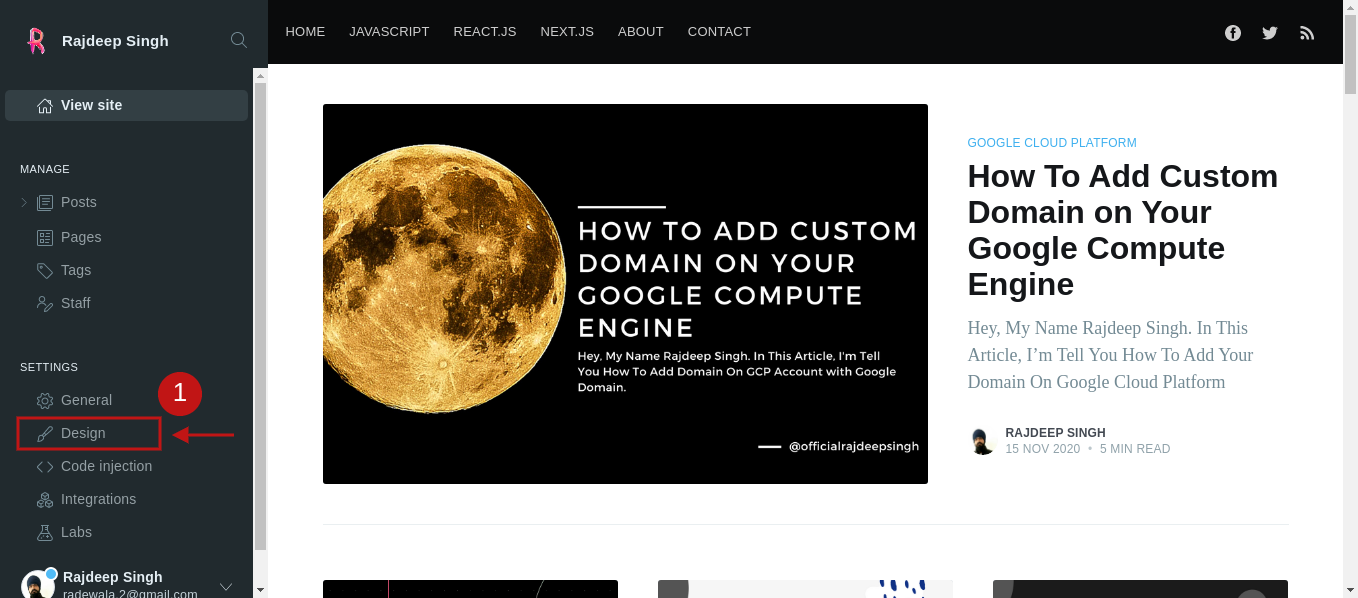
- Open Your Ghost Website Dashboard. After Select Design Tab
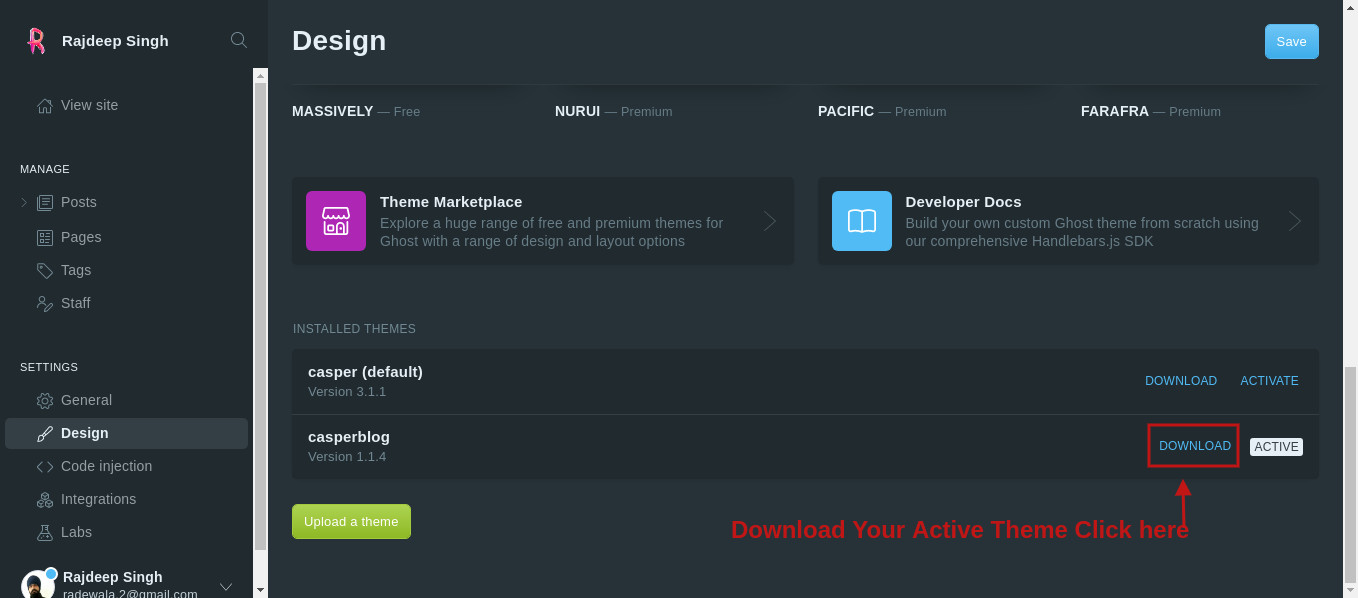
- When Open Our Design Webpage then go to
- scroll down find Installed Themes Section.
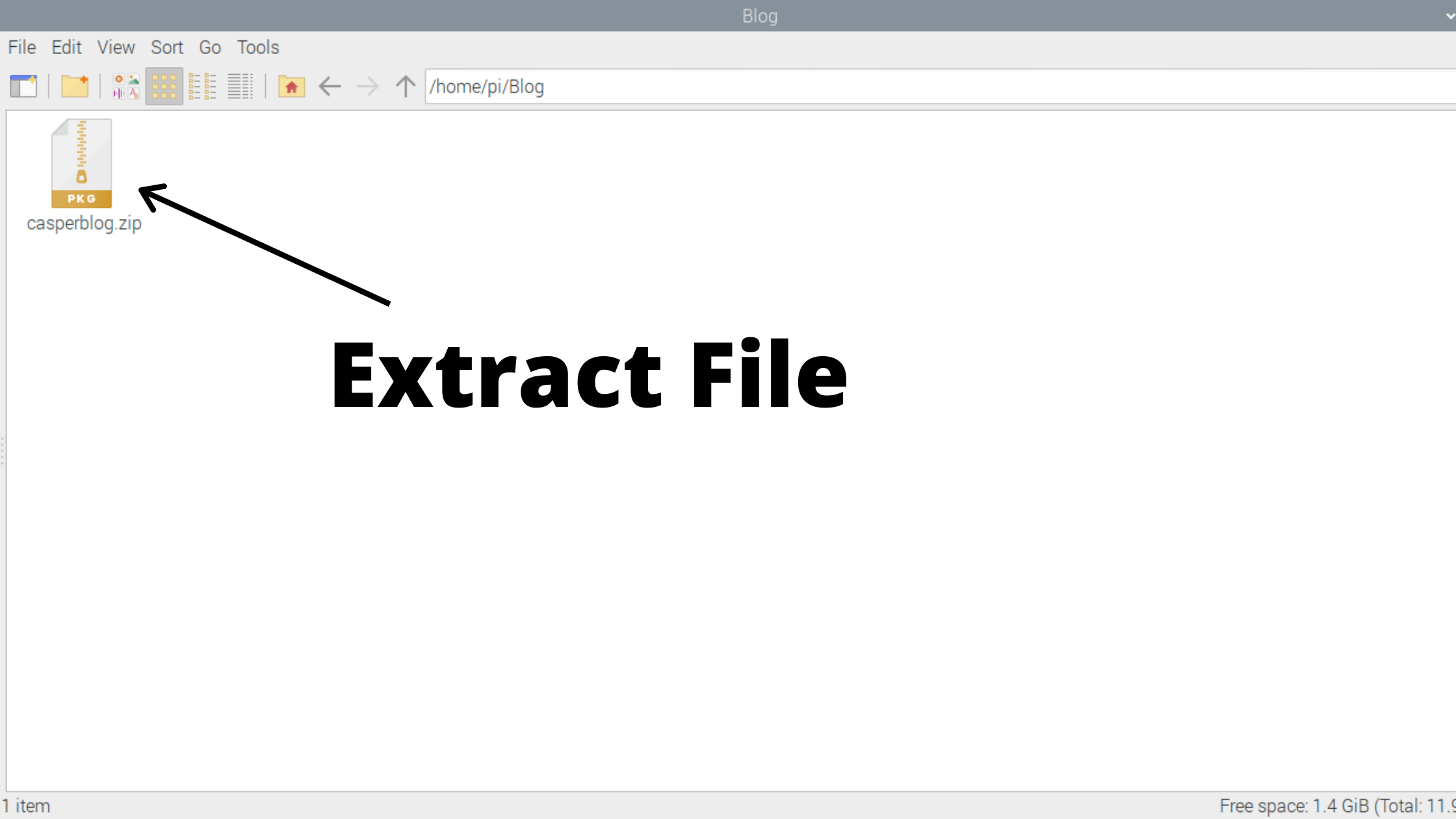
- Open Your Theme Download Folder In Your Laptop.
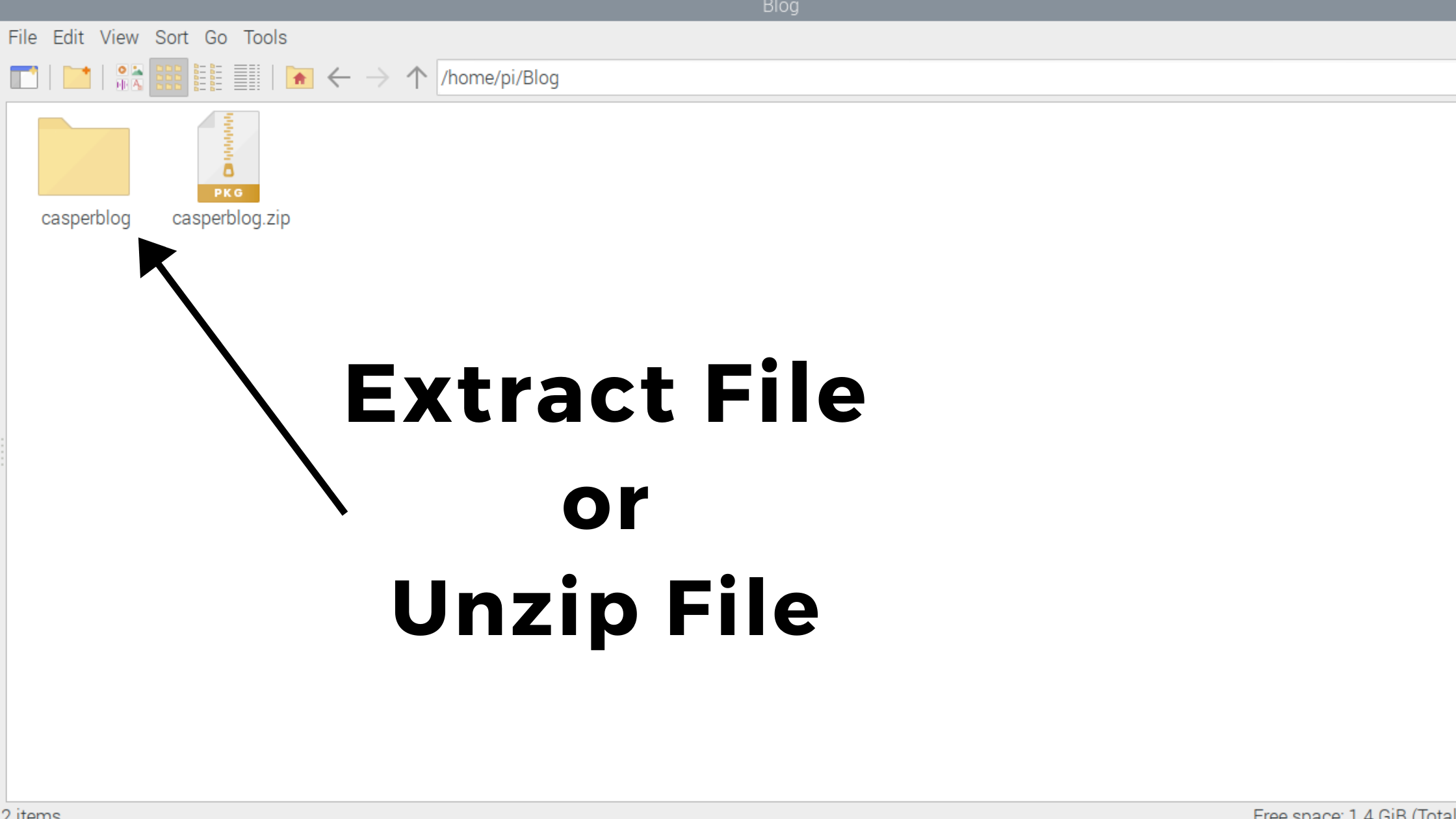
- After Click To Unzip File and Open Your File In Favorite Code Editor.
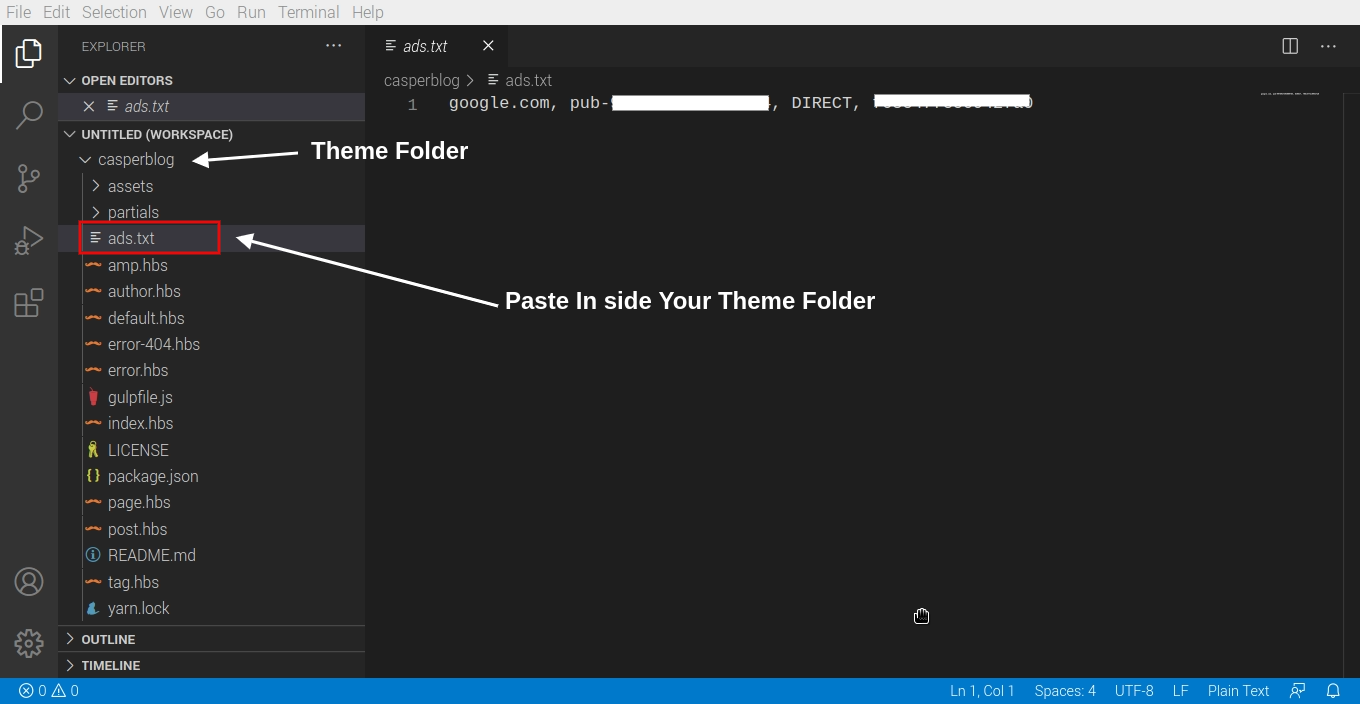
- Firstly Download Your Ads.txt File on Google Adsense. After Paste Inside Your Ghost Theme Folder and Click To Save It
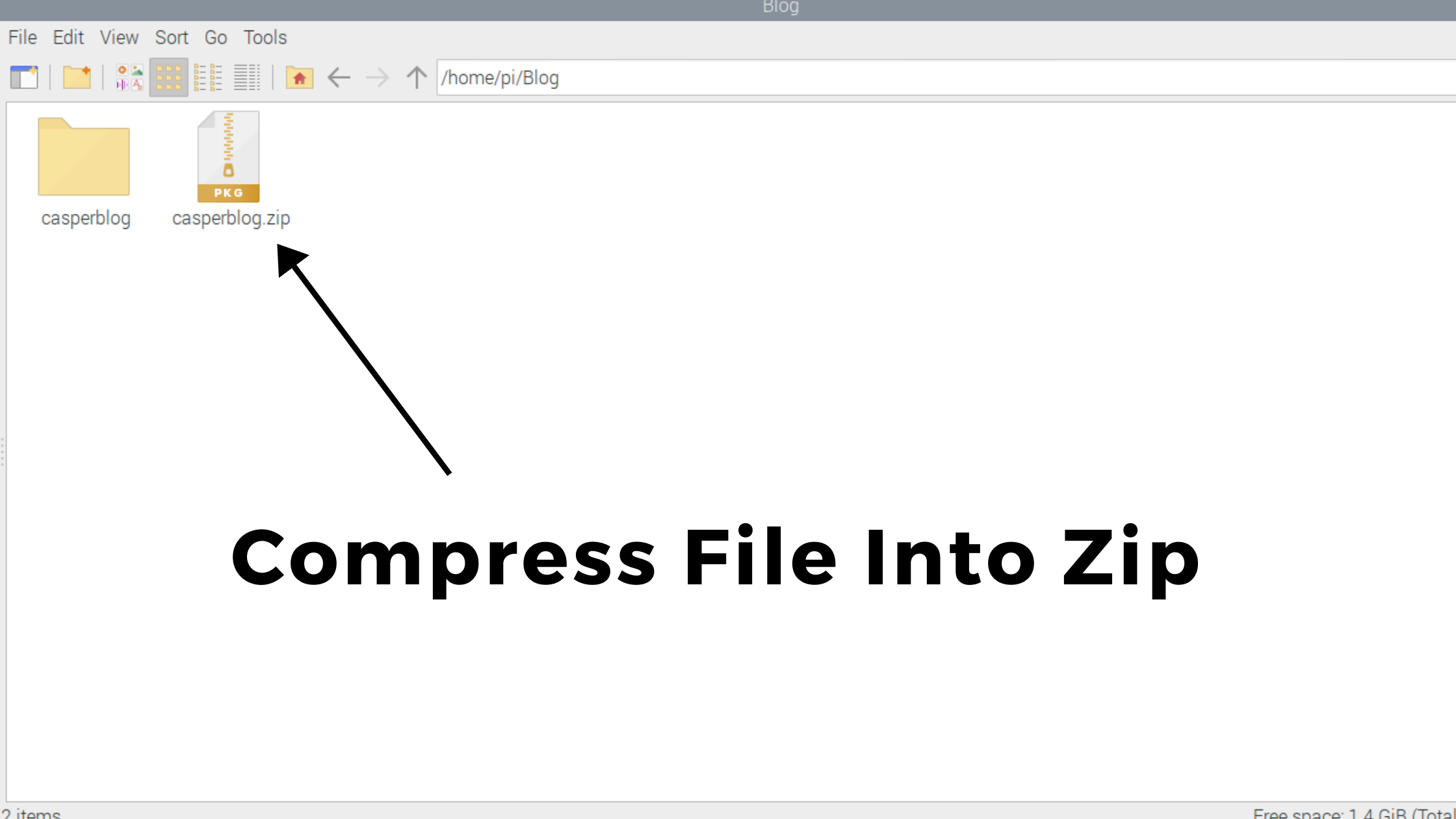
- After Paste Your Ads.txt File inside Your Theme.After Your Ghost Folder Convert Into Zip File.
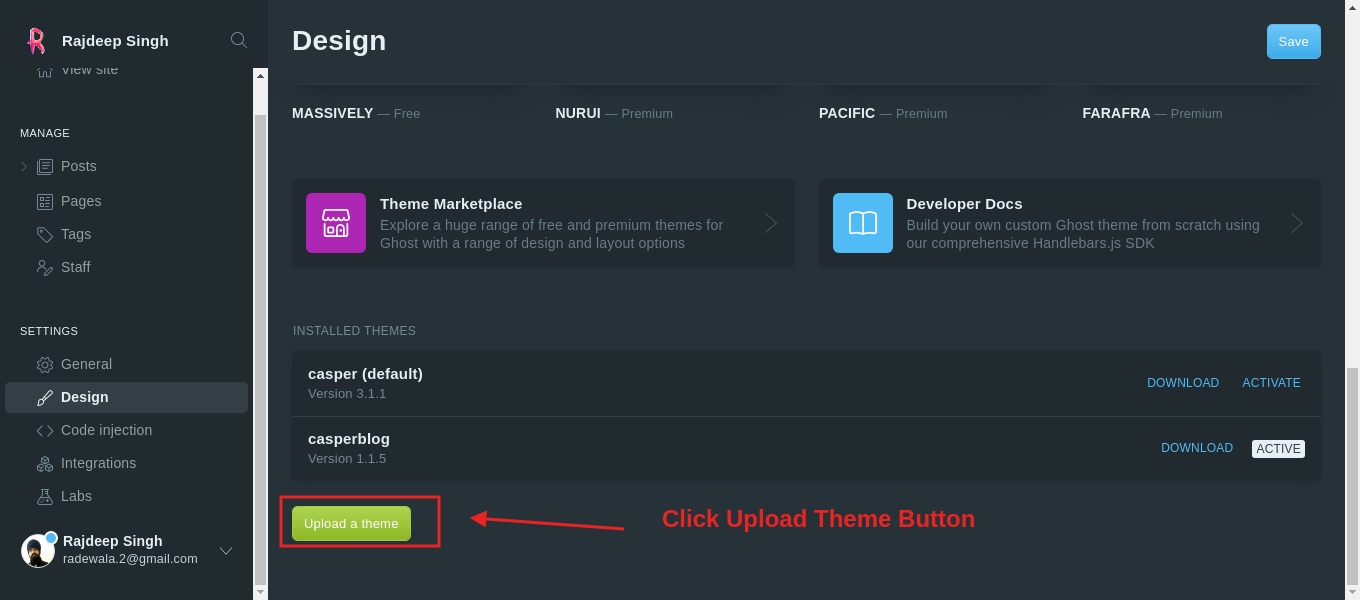
- Goto Your Ghost CMS Dashboard Design Tab. Then Click the To Upload Button.
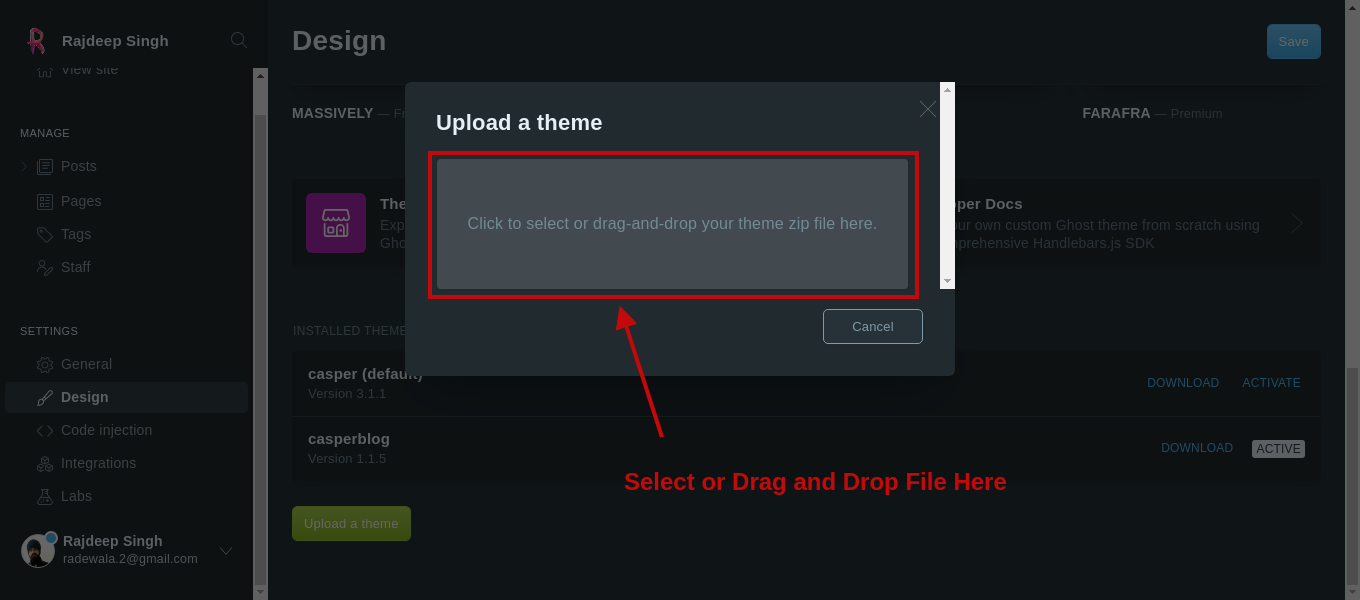
- Open Your Upload a Theme Section Inside Your Webpage. Then paste Your Zip File In This Section.
- After Visit Your website >>> https://Your-Domain.com/ads.txt
Note
Your Ads.txt File Google Adsense Detect Take 2 or 3 days. After Adsense Account
ads.txt Warring Remove. Make sure Your Verify Your Ads.txt File Own Your
Website.
Contact me
Related Articles
Recommended based on topic, title, and author
Have a project or question?
Feel free to reach out for business inquiries, questions, or collaboration.