How to rename multiple files in vscode (visual studio code)?
Renaming multiple files in vscode is now easier with a plugin.
Renaming multiple files in vs-code is a very headache. For the small project, you can also do that. Now in the vscode code, it lots easier. To rename multiple, you need a vscode extension that helps to rename multiple files simultaneously.
Steps
- Install Batch Rename extension
- How to use it
Install Batch Rename extension Firstly step is to install batch rename extension in vscode using the following command.
ext install JannisX11.batch-rename-extensionOpen VS Code Quick panel (Ctrl+P), paste it, and hit enter.
How to use it?
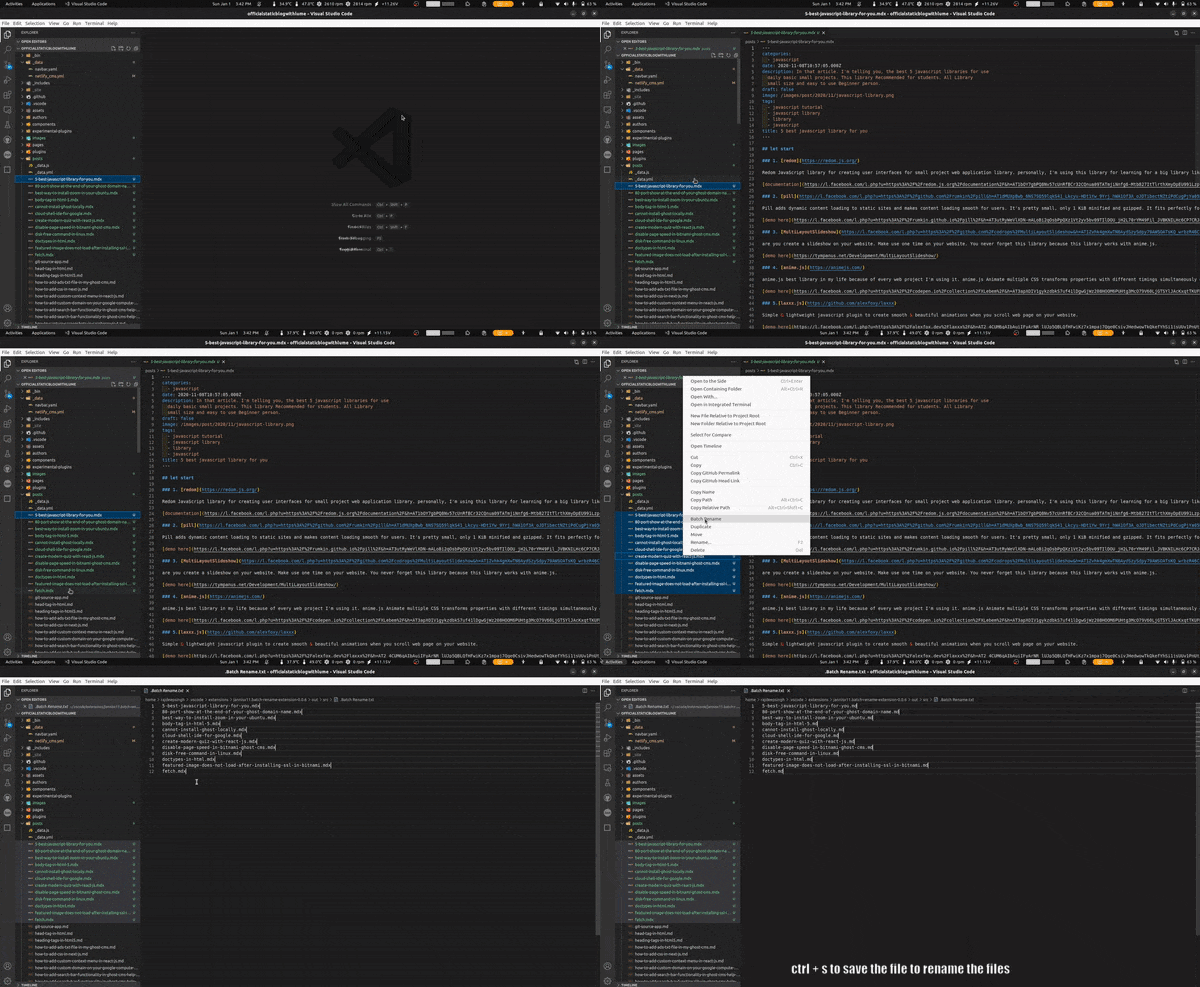
The use of batch rename extension is easy. First, select those which your rename, then help of right-click open file explorer in vscode and select the batch rename option.
Related Articles
Recommended based on topic, title, and author
Have a project or question?
Feel free to reach out for business inquiries, questions, or collaboration.