Title tag In HTML 5?
Title tag display page information in the browser toolbar.
Title tag Use Display Page Information In Web browser On Top. The title is also Use In the Body tag.Title tag Provided a title for the Page When You Added to Favorites in The Browser. Title Tag also Displays title Information for the Page in Search Engine Results
Syntax
<title> Heading With Title Tag </title>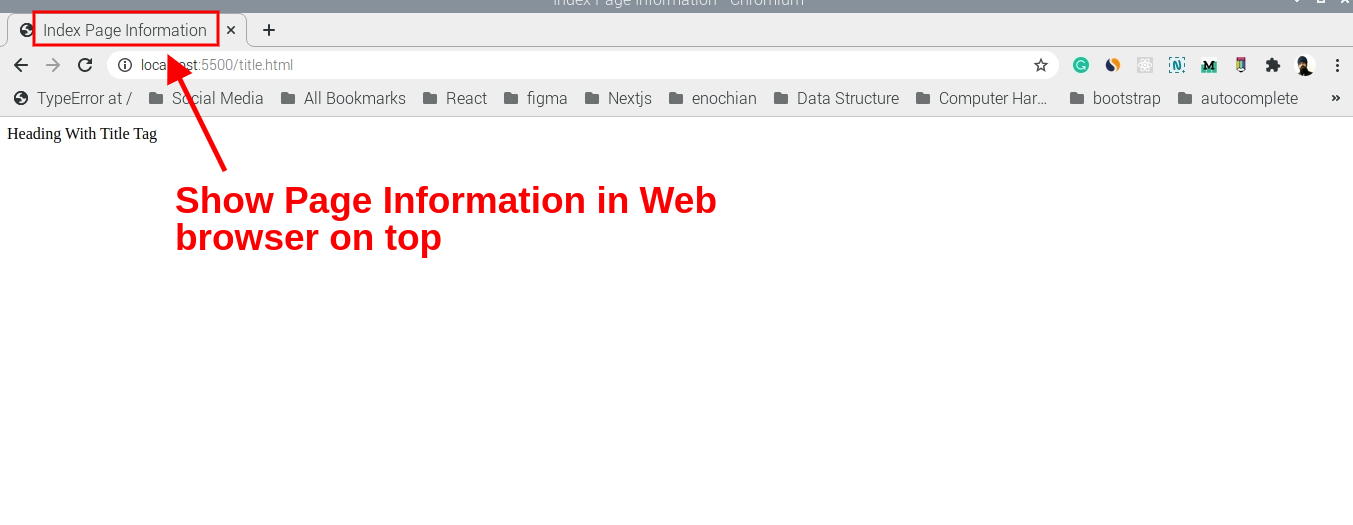
You Use Title Tag Inside Body By Default Title tag Display None inside Browser.
title {
  display: none;
}
If you use the title tag shown in the browser, add CSS To Display Title In Browser.
<title style="display: block" > Heading With Title Tag </title>Example
<!DOCTYPE html>
<html>
	<head>
		<title> Index Page Information </title>
	</head>
	<body>

		<title  style="display: block" > Heading With Title Tag </title>

	</body>
</html>Related Articles
Recommended based on topic, title, and author
Have a project or question?
Feel free to reach out for business inquiries, questions, or collaboration.